Get tips for reaching new customers, expanding your team, and communicating with ease, connected by an AI-first work platform that evolves with your business.
As a business leader, you know all about the importance of communication. Staying connected with customers, employees, partners, investors, suppliers, and vendors can help you build trust, grow your brand, and establish meaningful relationships with the people that matter most to your business.
This guide offers a few ways to help you enhance customer service, improve collaboration, and support your growing remote or hybrid team with an AI-first, all-in-one work platform. When you have your communications dialed in and collaboration figured out, you can spend less time worrying about technology and more time doing what you love.
If you have a lean IT team, or you wear the “IT director” hat (possibly alongside several other hats), a unified solution can help streamline IT management and give you more time to focus on what you’re more passionate about — like growing your business.
I like the ease of use and cost-effectiveness of [Zoom]. Instead of four different things, I have one platform that incorporates them all. There are fewer bills to pay and fewer contracts to understand. It’s made things a lot easier.
Read on to see how Zoom Workplace with AI Companion can help you build customer connections, enable employee collaboration, and develop a strong company culture to support your thriving team.
No matter what line of business you’re in, you want to meet your customers’ needs at every point in their journey. Today’s consumers want brands to be available for instant communications on a broad range of channels — not just phone and email, but text message, social media, live chat, and even video.
Here are some tips for connecting with customers on Zoom Workplace:
Even when you’re constantly on the go, you want to be there when your customers need you. Zoom works on a globally available suite of certified hardware solutions for offices, homes, workspaces, and mobile devices, and lets you move seamlessly from place to place. When you download the Zoom Workplace app, you can receive Zoom Phone calls, send a text, chat message, or join a Zoom meeting from your laptop, tablet, or smartphone. You don’t have to be tied to your desk or risk missing opportunities when you leave it.
Zoom Phone allows you to choose which number you call or text customers from, whether it’s a main business line or your own direct business number. Either way, you won’t have to use your personal number to reach customers or store their contact information on your personal device.
While you may have once been the sole person answering calls for your business, your growing team can help make sure your customers aren’t kept waiting too long. Setting up a call queue routes incoming calls to a designated group of users, like your entire sales team, leading to shorter wait times for customers.
You can even have an entire team helping to support text message response. When you set up SMS call queues, customer text messages will be sent to a group of employees for the first available rep to respond, cutting down on customer wait times.
Need a more robust customer experience platform? Check out Zoom Contact Center.
Embrace the advantages of video to reach new customers and offer virtual services. Features like screen sharing and annotation help build a dialogue with your customer during a consultation or allow you to deliver an engaging product demo. You can also create virtual touchpoints like a weekly office drop-in, or establish new revenue streams from virtual classes and events. Zoom AI Companion can provide you with meeting summaries from your customer calls so you can revisit your notes and identify action items and next steps.
If you’ve ever struggled with finding time to meet with a client, a scheduling app can cut down on time and frustration. Simply send your customer a Zoom Scheduler link and they can select from available preset time slots on your calendar. You can sync your Google, Microsoft 365, or Zoom Calendar for streamlined appointment scheduling.
In a digitally connected world, you can build a global customer base and an international team faster than ever before. See how Zoom enables you to expand to new markets and stay connected with customers and employees.
Your team may be selling or providing customer service in new places. Zoom Phone has expanded global coverage to more than 47 countries and territories and provides flexible BYOC options that extend your geographic reach even further.

You don’t need to limit your business operations based on who’s available in a specific location — with Zoom, your team members can conduct business all over the world. A customer service rep in Europe can jump on a video call to provide support to a customer in Asia. An equipment technician based in South America can help troubleshoot issues at a manufacturing plant in the U.S., all using Zoom Workplace.
AI Companion supports over 30 languages for features like meeting summaries, which is crucial for international teams. You can translate Zoom Chat messages in real time from one supported language to another, or ask AI Companion a question in a meeting and get a response in your supported language, even if most people in the meeting are speaking a different language.
When you’re planning your next product launch or customer conference, you can open your event up to a global audience with our Zoom Events solution. Live language interpretation support for Zoom Meetings and Zoom Webinars enables you to designate your interpreters for different languages. Our live translation feature also enables attendees to enable captions that are translated in real time in dozens of supported languages.
If your employees are distributed across multiple offices or working remotely, a communications platform becomes even more important for enabling effective collaboration from afar.
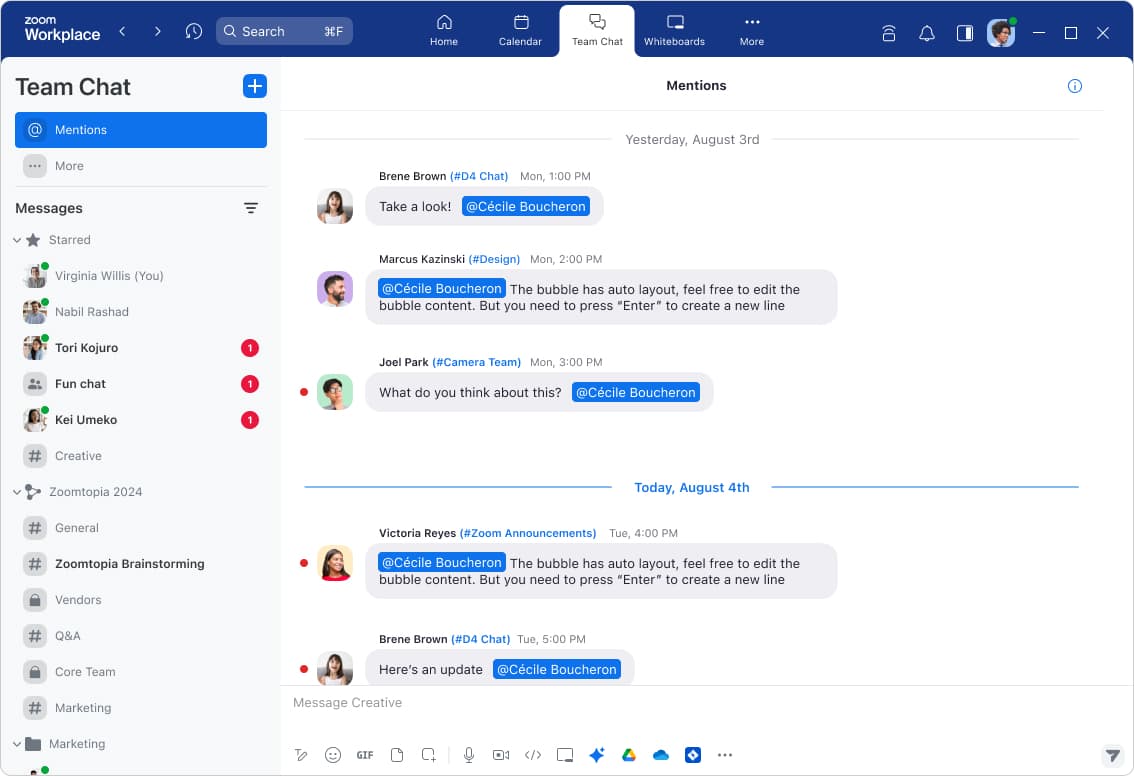
Zoom Chat enables you to have quick, real-time conversations with employees without scheduling a full-on meeting. Think of it as the equivalent of stopping by a colleague’s desk to ask a question. You can see whether an employee is available, in a meeting, away from their desk, or on vacation, giving you a better idea of when you can expect a response.
With Zoom Chat, you can easily communicate with people one on one or in groups. You can create different channels for different groups of people — one for the sales team, another for marketing, and another for leadership. You can also pull together people from different teams into a channel for a specific product launch or project to have discussions, share images or files, and provide feedback.
79% of remote employees prefer instant messaging/chat as a top-three method of collaboration.
Zoom-Morning Consult Global Collaboration in the Workplace report, 2024.
You can also create a shared space in Zoom Chat for all your team’s essential chat channels. When onboarding a new employee, all you need to do is add them to the shared space, and they’ll gain access to all the public (to members) chat channels they need to stay in the loop.
When you’re collaborating with a colleague over chat, you may realize that a phone call or video conference would be easier for getting the message across. Zoom Workplace enables you to easily move from a chat to a phone call or video meeting with the click of a button. You can also pull other collaborators into a phone call or Zoom meeting as needed.
Give employees the solutions they need to communicate and collaborate effectively. Enable auto-generated captions (also known as live transcription) for all users in your account and make sure your employees know about additional accessibility support features they can customize in their Zoom settings. If you have employees who speak different languages, AI Companion can help bridge language barriers with real-time translations in Zoom Chat and Zoom Meetings.
Many businesses experience growing pains as they expand, welcome new employees, and build scalable processes to serve their customers. Here’s how you can leverage modern communications technology to help support and equip your hybrid team with what they need to work smarter, not harder.
If your team members lose productivity switching between different business applications or copying information from one app to another, integrations can help streamline those workflows. With Zoom, you can integrate with hundreds of applications like Salesforce, Zendesk, Microsoft Teams, and Google Workspace, reducing the time spent toggling between multiple tools.
Routine tasks in your workday take a few short minutes here and there, but that can quickly add up to a substantial amount of time. Automating those tasks creates simpler workflows while taking items off your to-do list. Zoom Workflow Automation makes it easy to build powerful workflows that streamline your work across Zoom Workplace and third-party apps. You can also use AI Companion in your automated workflows, pulling in information and context from the platform to provide insights — freeing you up to focus on work that matters.
Use Workflow Automation to:
Visit our support page to get started with Workflow Automation.
When you actually see Zoom Rooms in action, you think it’s so simple, it’s impossible. You walk into a room and press a button and you’re connected. … It’s so easy in a sense that you don’t really need dedicated or specialized IT support, and for a small business, that’s a big thing.
It can be difficult to know where to start when it comes to AI — many organizations struggle with how to incorporate it into employees’ workdays in ways that provide tangible benefits. According to a 2023 AI survey conducted by Morning Consult on behalf of Zoom, 69% of leaders said a barrier to AI adoption is that their team wouldn’t know how to use it.
This section outlines practical ways that Zoom AI Companion, your built-in AI assistant, can help employees prioritize their work, complete tasks, and communicate more effectively. Because it’s available at no additional cost for paid Zoom Workplace accounts,* it’s a great choice for small and midsize businesses who may not have the budget to incorporate expensive AI tools.
If your employees wear many hats and have competing priorities, it can be hard to know where to begin. AI Companion, accessible through a convenient side panel, can help employees prioritize their workday. They can ask AI Companion to prioritize their work, keep conversations focused and impactful, and jumpstart content drafts so they can focus on what’s important. AI Companion for Zoom Phone can help them prioritize which voicemails to listen to first and extract tasks from those voicemails, so they can quickly get to a new inquiry or support message.
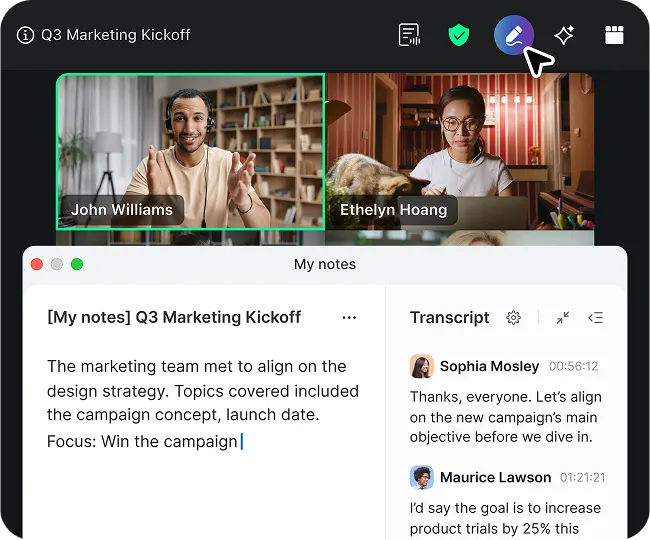
Meetings take up a lot of time in our workday — research from Zoom and Morning Consult shows that 60% of leaders have three or more meetings in a day. During meetings, you can ask AI Companion what the discussion was about, key points made by each person, and the outcome of the discussion. You can also ask additional questions beyond what was discussed in the meeting that AI Companion can answer via web search.
With AI Companion, you don’t have to worry about important information falling through the cracks. You can get summaries of your Zoom Meetings and Zoom Phone calls that recap key points and suggest next steps. Those summaries can be shared directly with attendees in Zoom Chat or by email, so everyone can stay in the loop and take action based on what was discussed.
You can also pull AI Companion meeting summaries or transcripts from previous meetings directly into Zoom Docs using a pre-built template for one-on-ones, brainstorms, project updates, and more.
You can customize Zoom to meet your business needs, whatever they may be — now and into the future:
With flexible plans and add-ons, you’ll always be able to find a solution that fits your situation — even if your needs are constantly evolving.
Ready to take the next step to grow your business? Explore our small business solutions page to see how Zoom Workplace can help.