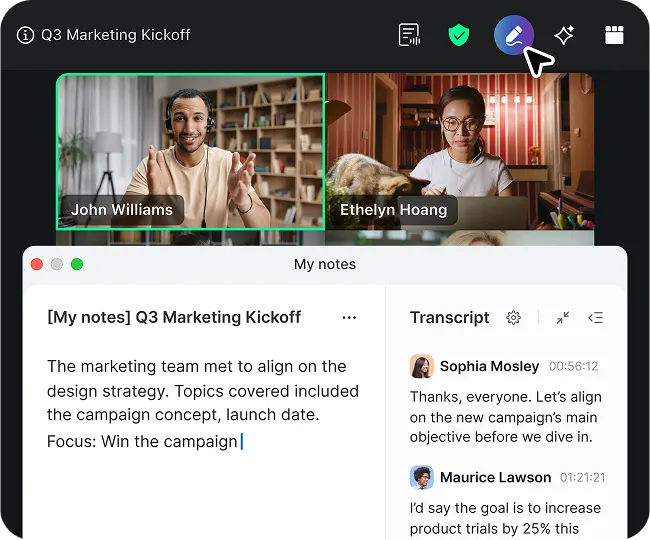
As employees connect from different locations and devices, selecting the right Zoom Chat app is essential to achieve effective, productive, and meaningful teamwork. Let’s look at how Zoom Chat supports distributed teams.

Automatically captures, summarizes, and extracts action items from any virtual or in-person meeting. Learn more
As employees connect from different locations and devices, selecting the right Zoom Chat app is essential to achieve effective, productive, and meaningful teamwork. Let’s look at how Zoom Chat supports distributed teams.

A team chat app is a comprehensive solution that enables individuals to communicate through an online software application by sending text-based messages. Through these apps, individuals and groups can exchange ideas, collaborate on projects, or simply connect and get to know each other. While traditional in-office environments facilitate in-person communication, today’s flexible workforce relies heavily on digital communication tools such as Zoom Chat software to work together effectively.
A unified communications platform, like Zoom, combines Zoom Chat, phone, and video meetings, giving teams the freedom to choose their preferred communication method and easily transition between channels — whether starting with an instant message, switching to a voice call, or launching a video conference. This versatile approach supports efficiency while giving your workforce the tools they need to communicate effectively.
All Zoom Chat apps are not created equal. It’s one thing for an application to enable real-time team communication; it’s another for it to improve communication across teams and throughout the entire organization. The latter occurs when the software offers multiple communication channels and supports integration with frequently used work apps.
Look for Zoom Chat apps that include the following features:
Real-time instant messaging capabilities
Easily accessible voice and video options
Mobile app for on-the-go communication
The ability to organize conversations
Scheduling and calendar integration
Customizable channel creation for group chats
Multimedia communication (GIFs, images, emojis)
File sharing and search functionality
Native document sharing capabilities
Third-party app integrations
The best Zoom Chat app is the one that supports your organization’s unique digital communication needs based on its size, industry, geographic locations, and work environment (in-office, all-remote, or hybrid).
As you evaluate Zoom Chat app solutions, consider the following questions:
Zoom Chat, Zoom’s feature-rich chat app, is a core component of Zoom's AI-first work platform. With features that go beyond basic instant messaging apps, Zoom Chat helps organizations of all sizes stay in touch and work together on tasks and projects in real time.
With Zoom Chat tightly woven into Zoom Workplace, teams have easy access to instant messaging along with collaboration tools like video meetings, phone, email, calendar, documents, whiteboards, and more. Work is more efficient without switching between multiple applications, supporting better focus and productivity.
Zoom Chat comes included with all Zoom licenses at no extra charge, requiring no separate contracts or fees. Get full chat functionality with any paid Zoom plan, plus Zoom AI Companion included at no additional cost.
Zoom gives you access to the Zoom Chat app functionality you’re used to with other apps, with the added benefit of Zoom’s familiar, easy-to-navigate interface. Within the Zoom Chat app, you can:
Invite internal and external participants to chat
Schedule a new meeting or cancel an existing one
Identify the right stakeholder through an enhanced profile contact card with job title, department, extension, and more
Instantly transition from Zoom Chat to a video meeting to a phone call
Search and review recorded meetings, calls, and whiteboarding sessions
Dial and call any phone number instantly
Easily search and find messages, files, and shared content
Manage and customize group channels as an admin
Access third-party app integrations
Online presence indicators automatically show when you’re busy, in a meeting, on mobile, desktop, or offline
Create project collaboration spaces with multiple channels that selected members can access. When new team members are onboarded, they automatically gain access to all associated channels.
Built into the Zoom platform, Zoom AI Companion* provides suggested prompts to help you draft quick messages, summarizes long chat threads, and identifies recent action items from a chat channel.
Schedule a meeting with all members of a chat channel without manually adding members or using your calendar app. Access channel members’ calendar availability to find a time that works for everyone.
Continuous meeting chats serve as group chats for meeting participants and are especially ideal for recurring meetings. AI Companion meeting summaries are automatically shared in the continuous meeting channel.
Improve productivity by automating everyday work using Zoom Workflow Automation. Use workflows with AI Companion and connect third-party apps. The no-code experience makes it easy for anyone to create and implement workflows.
Create an organized work chat space with a sidebar navigation that offers more advanced filtering and sorting capabilities, tabs that are easy to customize with drag, drop, and pin functionality, and more control with tab-level badging and notifications.
Security and privacy are core to Zoom’s Zoom Chat software, which is designed to safeguard your team’s data:
Single sign-on (SSO) via industry-standard authentication protocols
256-bit industry-standard encryption for real-time content and media, which applies to data in transit
Optional end-to-end- encryption (E2EE) for Zoom Meetings
Third-party archiving integrations with Smarsh, Global Relay, and more
In addition to enabling HIPAA and PIPEDA/PHIPA compliance, Zoom maintains a comprehensive set of compliance certifications and attestations, including
SOC 2 Type 2
CSA STAR Level 2
ISO 27001
Zoom Chat is included with every Zoom license — no additional costs or contracts required, including the free Zoom Workplace Basic plan.
*Zoom AI Companion is available with eligible paid Zoom Workplace plans. May not be available for all regions or industry verticals.